
Your first transaction
Testnet only
Everything on this page uses free test assets with no monetary value. Never use real funds for an Academy activity.
Six parts of theory. Today you use it.
By the end you will have sent a transaction, seen it recorded on the chain, and found that public record through a block explorer.
This is also your Anchor Mission evidence
Work carefully and keep what you produce — the sender address (Account 1), the hash, and the link.
Learning objectives
- Install and set up a wallet, and secure its recovery phrase
- Obtain testnet ETH and explain why it is free and worthless
- Send a transaction and explain each field you confirmed
- Read your own transaction on a block explorer
Core
Gas, briefly
Every on-chain transaction consumes gas, which measures the work the network performs. You pay a transaction fee based on how much gas the transaction uses and the current gas price. Fees price scarce blockspace and make spam costly. Part 4 explains how Ethereum splits and burns those fees.
| Term | Meaning |
|---|---|
| Gas used | How much computation the transaction took. A plain transfer has traditionally used 21,000 units under the current fee schedule |
| Gas price | What you pay per unit, in gwei (one billionth of an ETH) |
| Transaction fee | Gas used × gas price. What actually leaves your balance |
The key idea
Complexity costs more. Sending ETH is the cheapest thing you can do. Calling a contract costs more. Deploying one costs much more — you will feel this in Week 3.
Guided walkthrough
Take your time. Nothing here is timed, and the habits matter more than the speed.
Before you start
You need about 30 minutes, a desktop browser, and nowhere to be. If a step does not look like the screenshot, stop and ask in the Telegram group rather than guessing — wallet interfaces change, and the group will know.
Install MetaMask
Go to metamask.io — type it or use the bookmark you made in Week 0.
Do not reach it through a search advert
Fake wallet extensions are a routine attack and they look correct. Check the URL before you install anything.
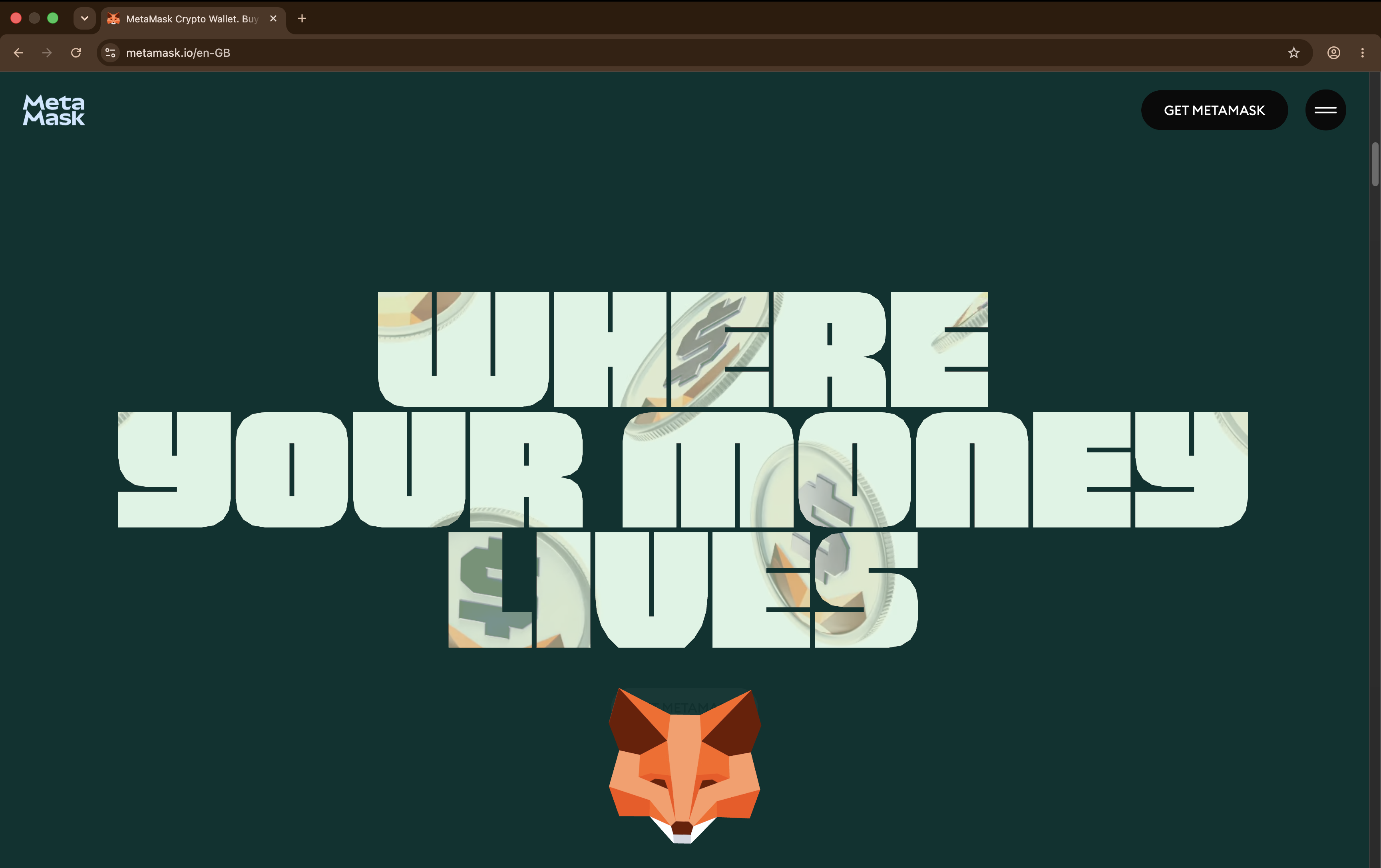
Check the URL first, every time. This is the habit, not the click. Install the browser extension and choose Create a new wallet.
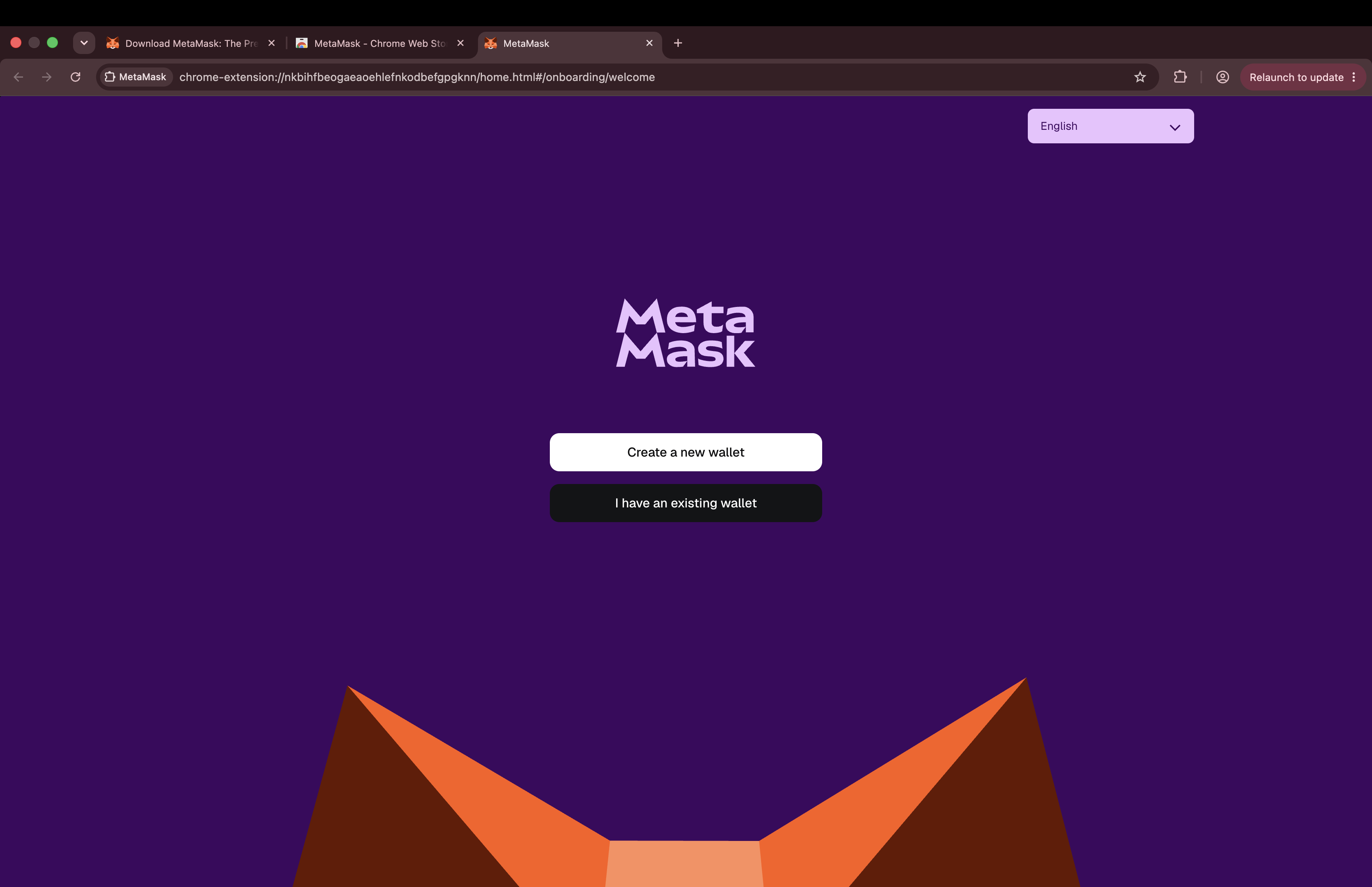
Create a new wallet. Do not import one you already use. Create a wallet only for the Academy
This wallet will only ever hold worthless test assets. Do not reuse a wallet that holds real funds — Week 0's separate-wallets rule starts here.
Set a strong password. This encrypts the wallet on this device only. It is not your recovery phrase.
Write down your recovery phrase
You will be shown a 12-word recovery phrase.
Stop here — this is the irreversible one
Write the twelve words on paper, in order.
Never: a screenshot · a cloud note · a message to yourself · typed into any website or "support" chat
Anyone who obtains these words controls this wallet permanently, from anywhere. Blockchain@NTU will never ask you for it. The normal exception is when you deliberately restore or import your wallet into wallet software that you installed from a verified official source. Never enter it because someone sent you a link, DMed you, or told you to “verify”, “sync” or “unlock” your wallet.
Practise storing it properly now, while the stakes are zero.
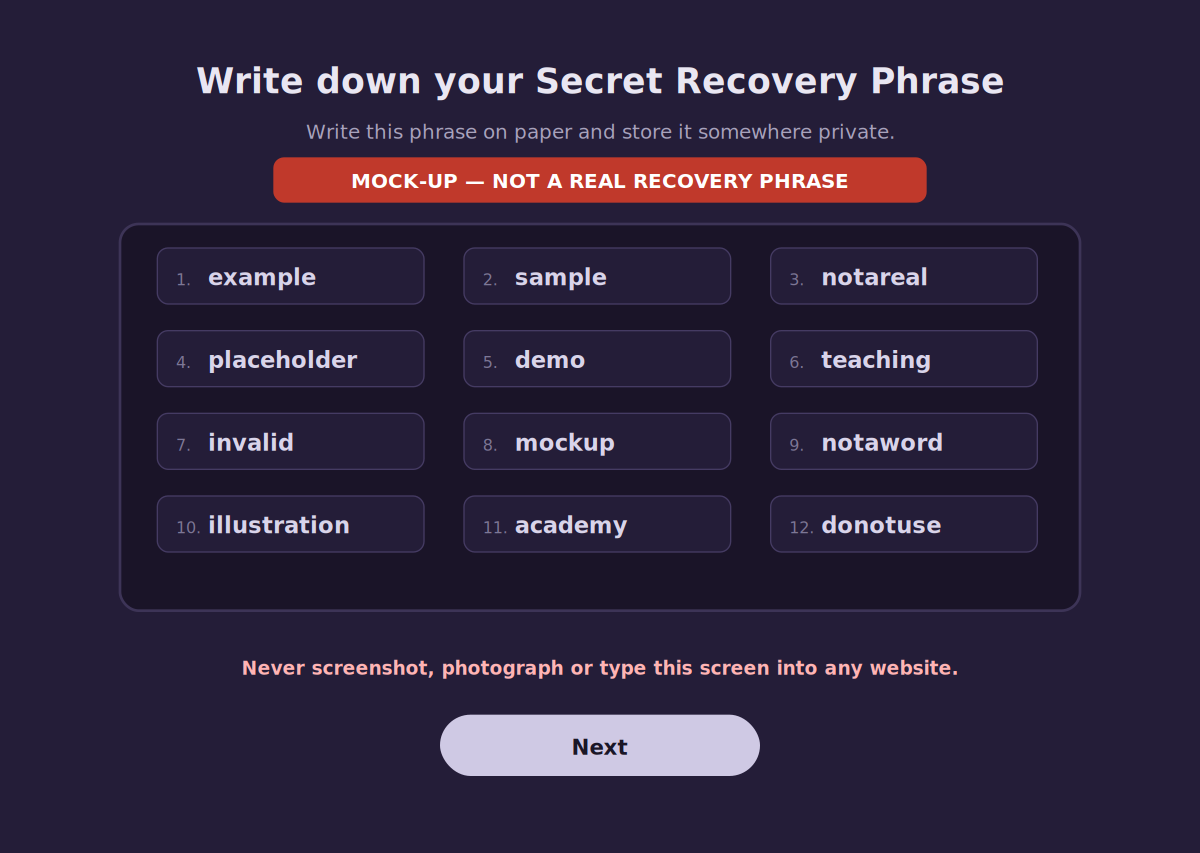
A mock-up, not a real screen. The point is to show where the phrase appears, never what a real one says. Confirm the phrase when prompted. You should now see a wallet with one account and a balance of 0 ETH.
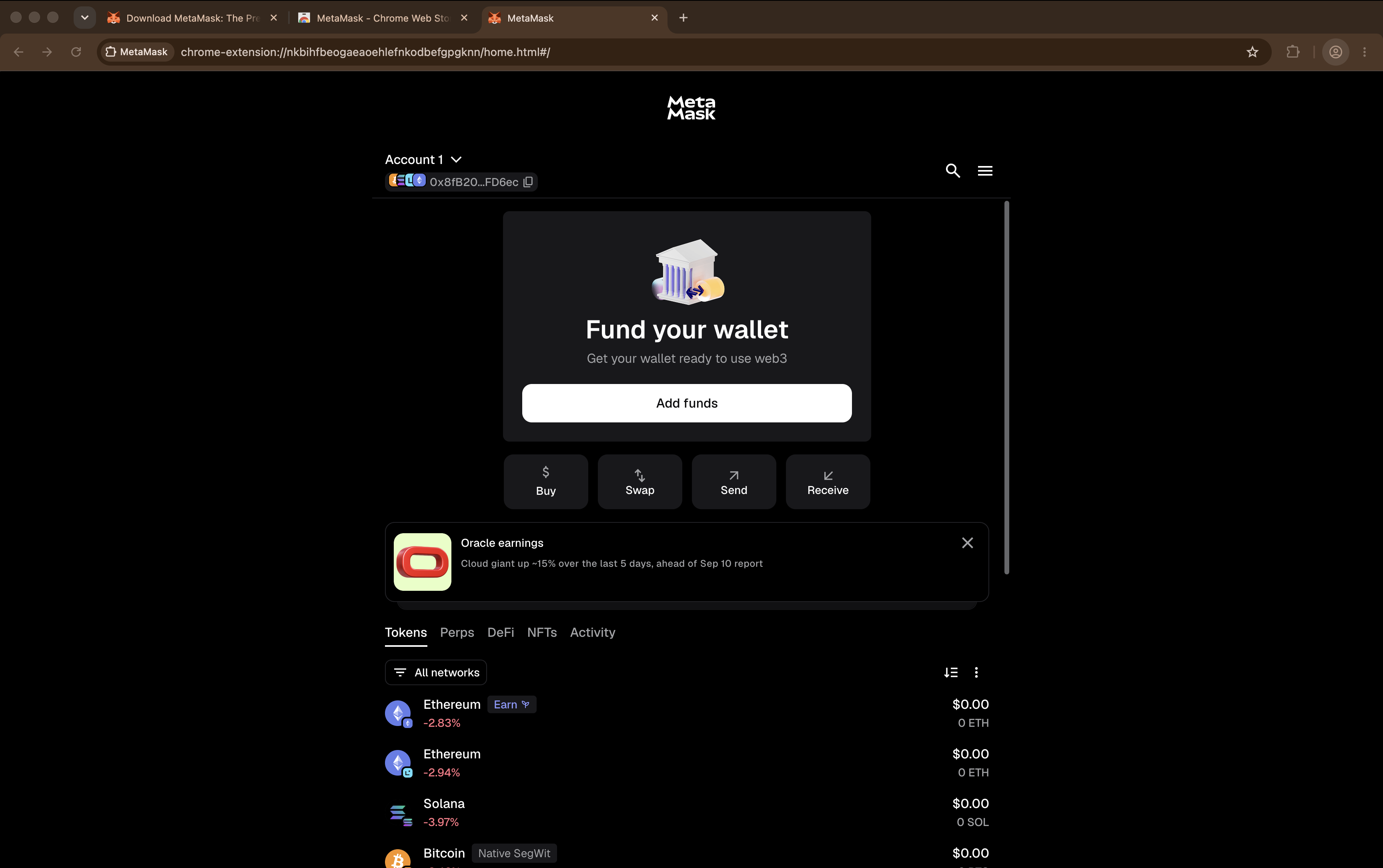
Setup is done when you land here. The balance is 0 and the network is still Mainnet. Switch to Ethereum Sepolia
MetaMask opens on Ethereum Mainnet, and test networks are hidden until you ask for them. There is no plain network dropdown any more: open the network selector at the top left, choose Manage networks, turn on Show test networks, then pick Ethereum Sepolia.
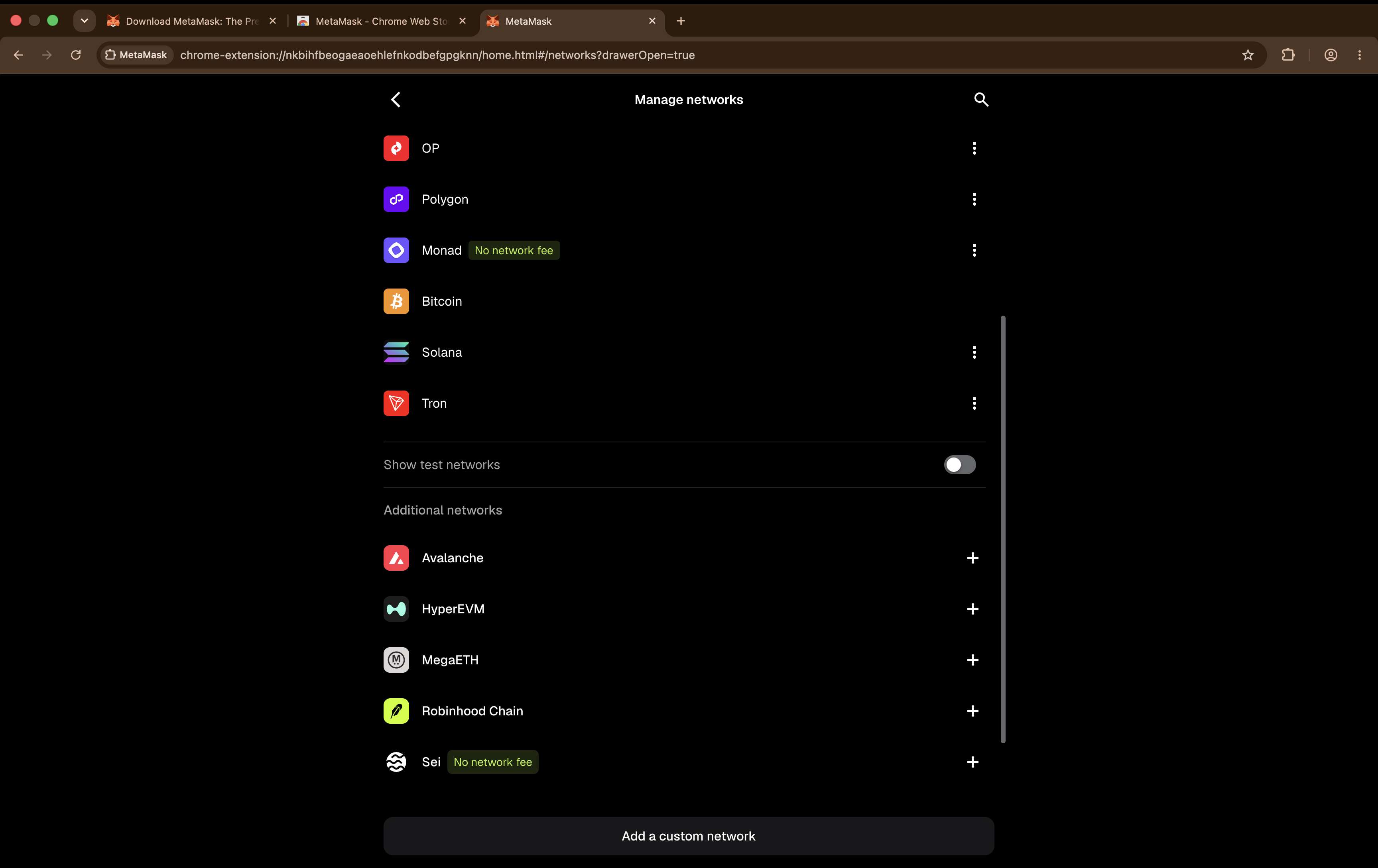
Test networks are hidden by default. Enable them once. 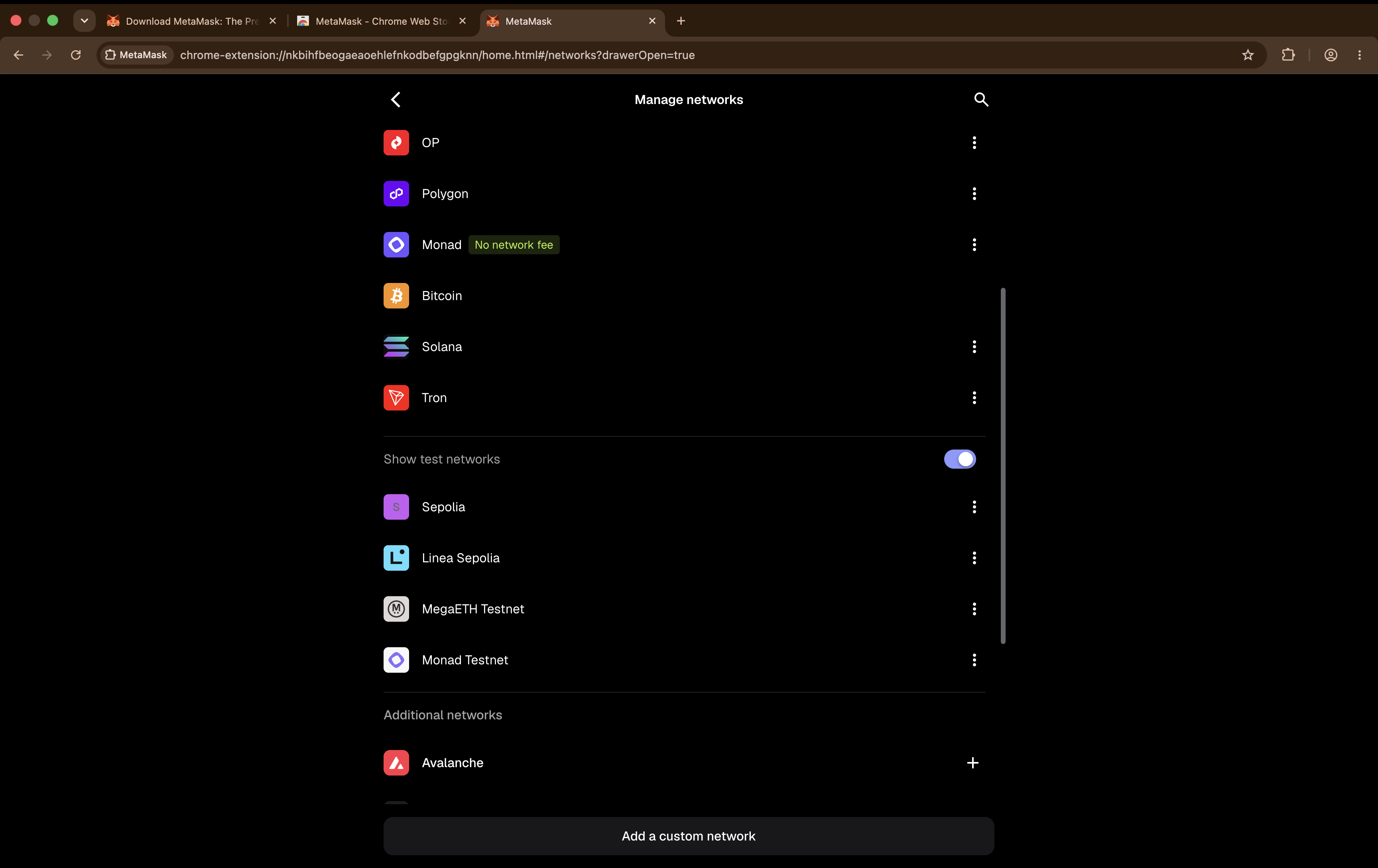
With the toggle on, the test networks appear. 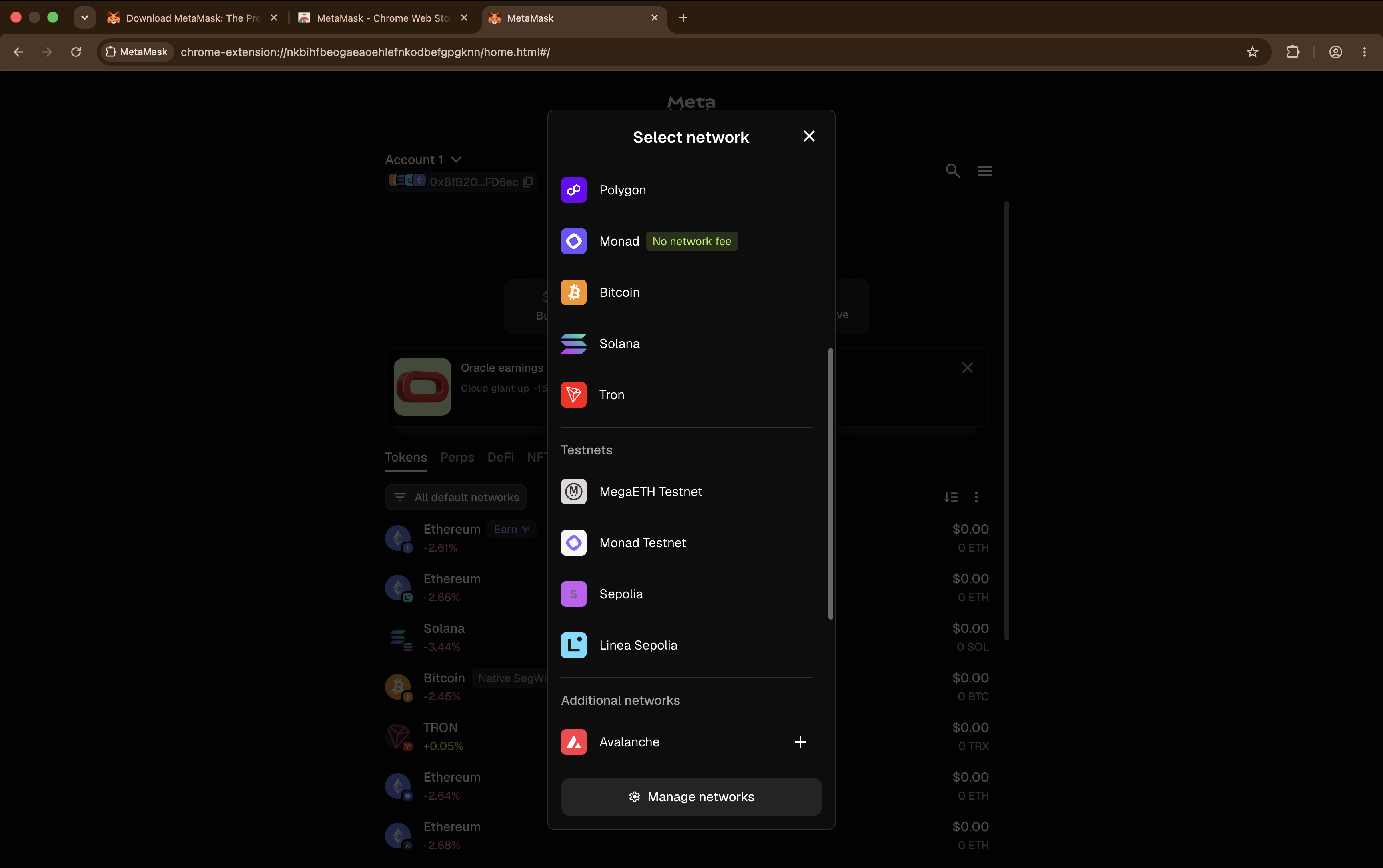
Now pick Ethereum Sepolia from the list. 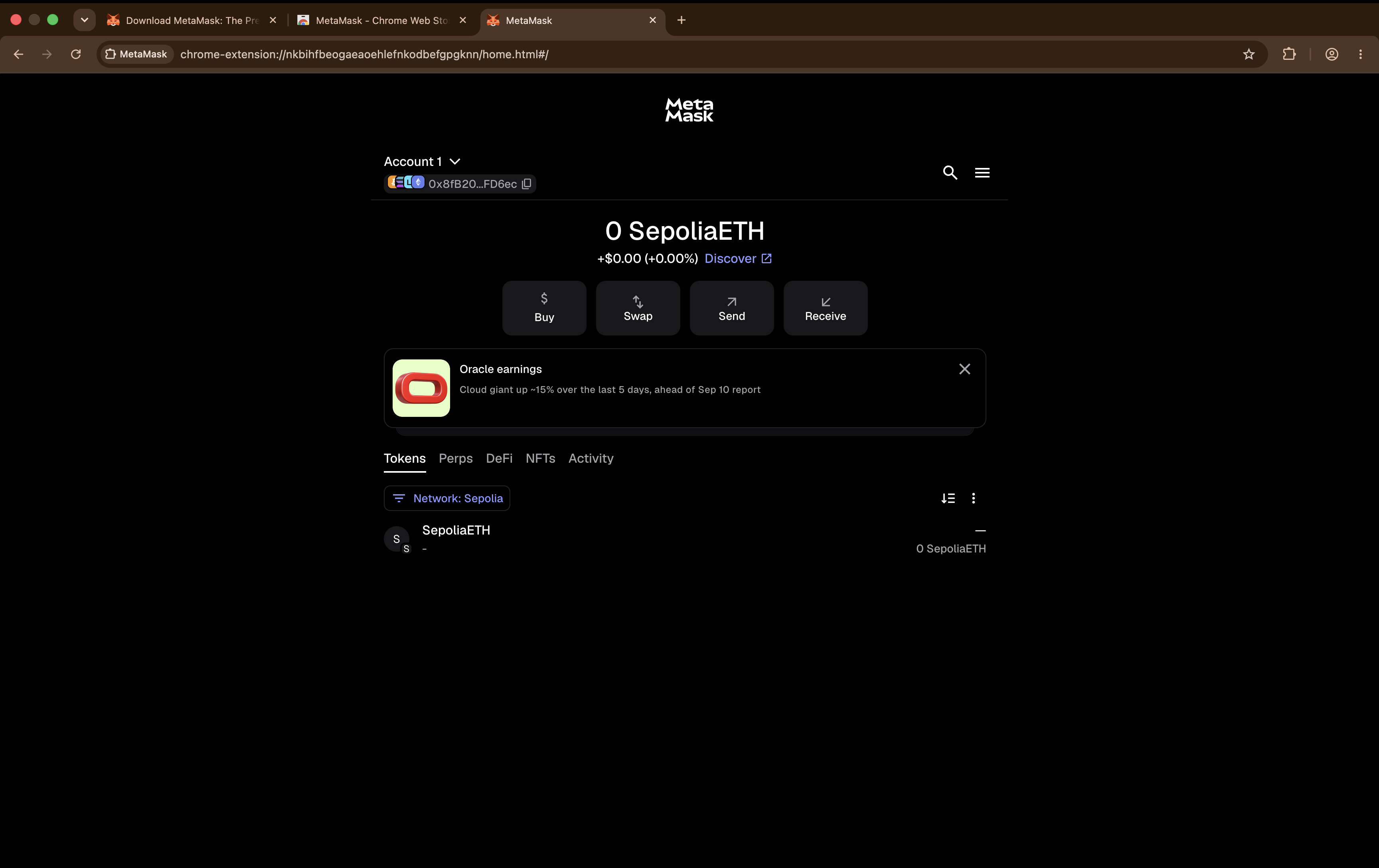
Confirm Sepolia is showing before you go any further. Verify you are on the right network
Ethereum Sepolia's Chain ID is 11155111. MetaMask already knows Sepolia, so you should not need to add a custom RPC by hand — if a guide tells you to, check you are not being sent to an imitation network.
Check this every single time from now on
Which network am I on is the first question of every transaction. Confusing mainnet and testnet is a classic and expensive mistake. :::
Copy your wallet address
Your address starts
0xand is 42 characters long. Click it at the top of the wallet to copy.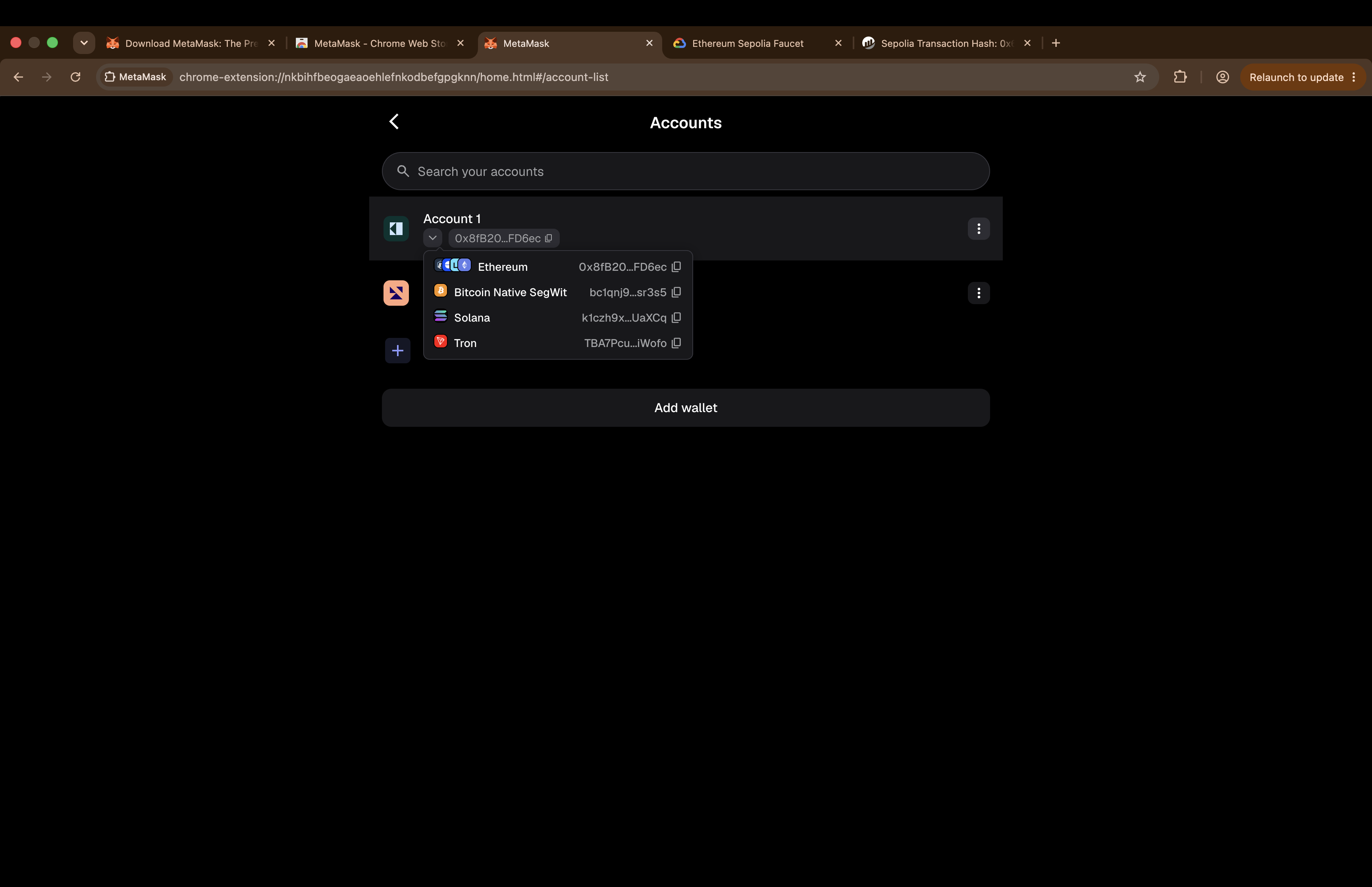
This is the value you paste into a faucet. Four things beginners mix up
Item What it is Safe to share? Wallet address The public identifier for this account, 0x+ 40 charsYes Transaction hash The ID of one transaction, 0x+ 64 charsYes Contract address A program's address on the chain Yes Private key / recovery phrase What controls your wallet Never The first three are public by design. The fourth is the only secret.
Claim test ETH from a faucet
A faucet gives you testnet ETH for learning. It has no real monetary value — that is the whole design.
Try these in order:
Priority Faucet Note First Google Cloud Web3 faucet Needs a Google account Backup Coinbase Developer Platform faucet Needs a free CDP account Directory ethereum.org testnet and faucet list The official list, if both above fail 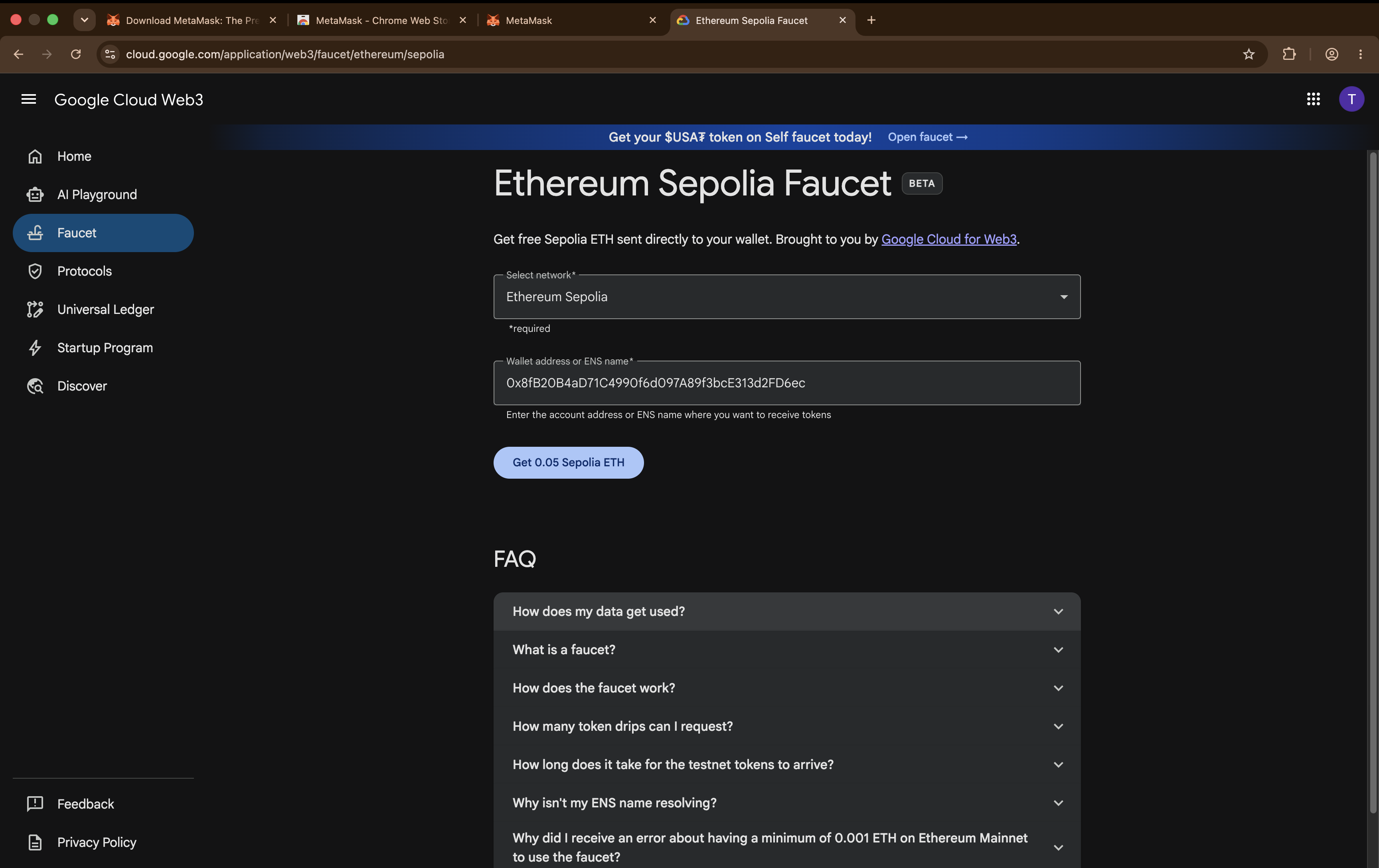
Paste the address you copied in step 4. 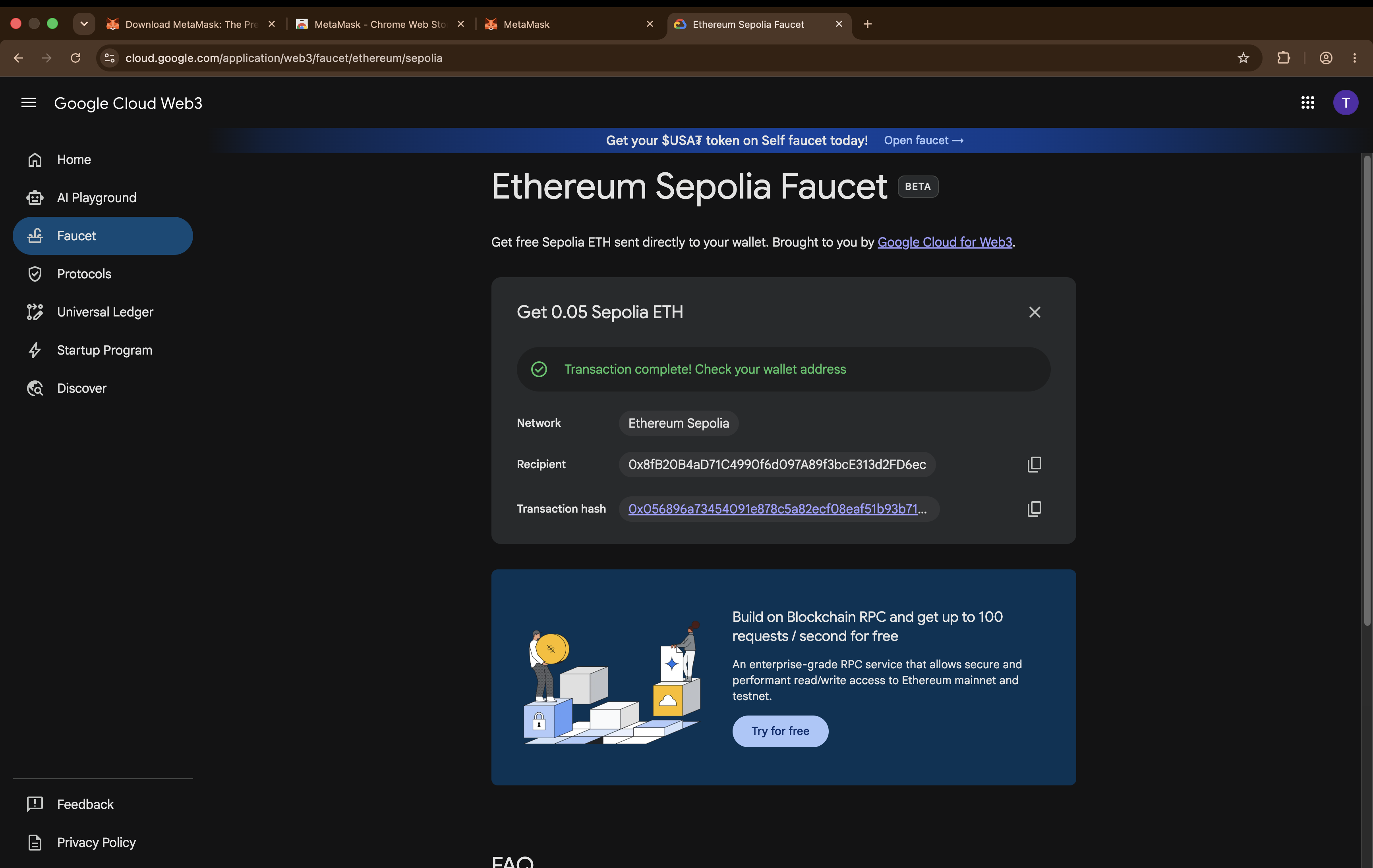
The faucet confirms first. The wallet catches up a moment later. 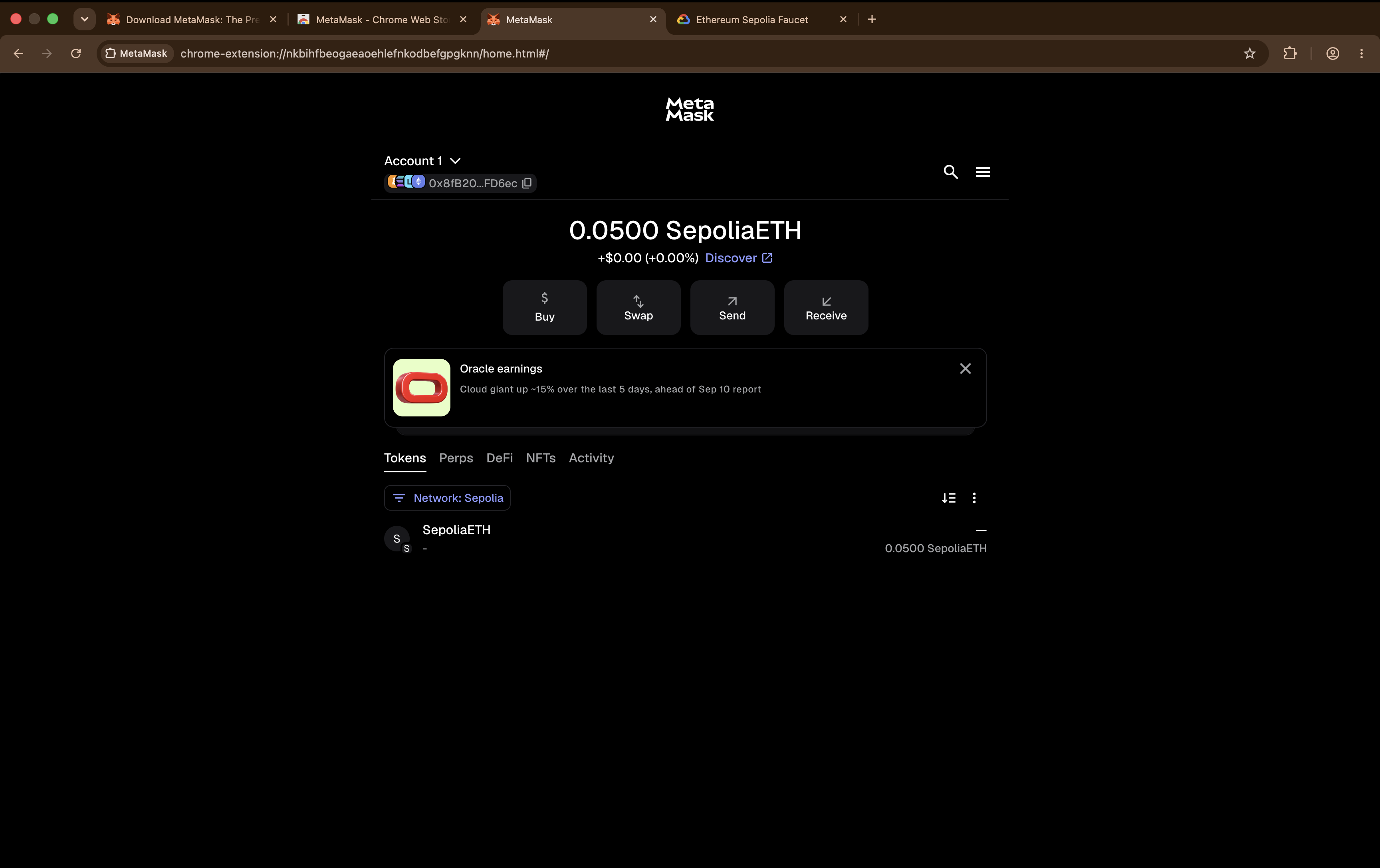
Funds usually arrive within a minute. If the faucet does not work
This is common and it is not your fault. Faucets run dry, change their rules, and add requirements without notice.
- Check you pasted the correct wallet address.
- Check your wallet is on Sepolia, not mainnet.
- Try the next faucet in the table.
- If all of them fail, say so in the Telegram group — someone will know which one is working today.
Never pay for testnet ETH
It is worthless by definition, so anyone selling it is running a scam. There is no way to convert or bridge Sepolia ETH into real mainnet ETH. Anyone claiming they can turn your test ETH into real ETH is scamming you. Never connect a wallet holding real assets to a faucet.
Send a test transaction
You will send a small amount between two accounts you control. It is a real transaction in every respect, and it needs no second person.
In MetaMask, add a second account from the account menu and copy its address. Then choose Send, paste that address as the recipient, and enter a small amount such as 0.001.
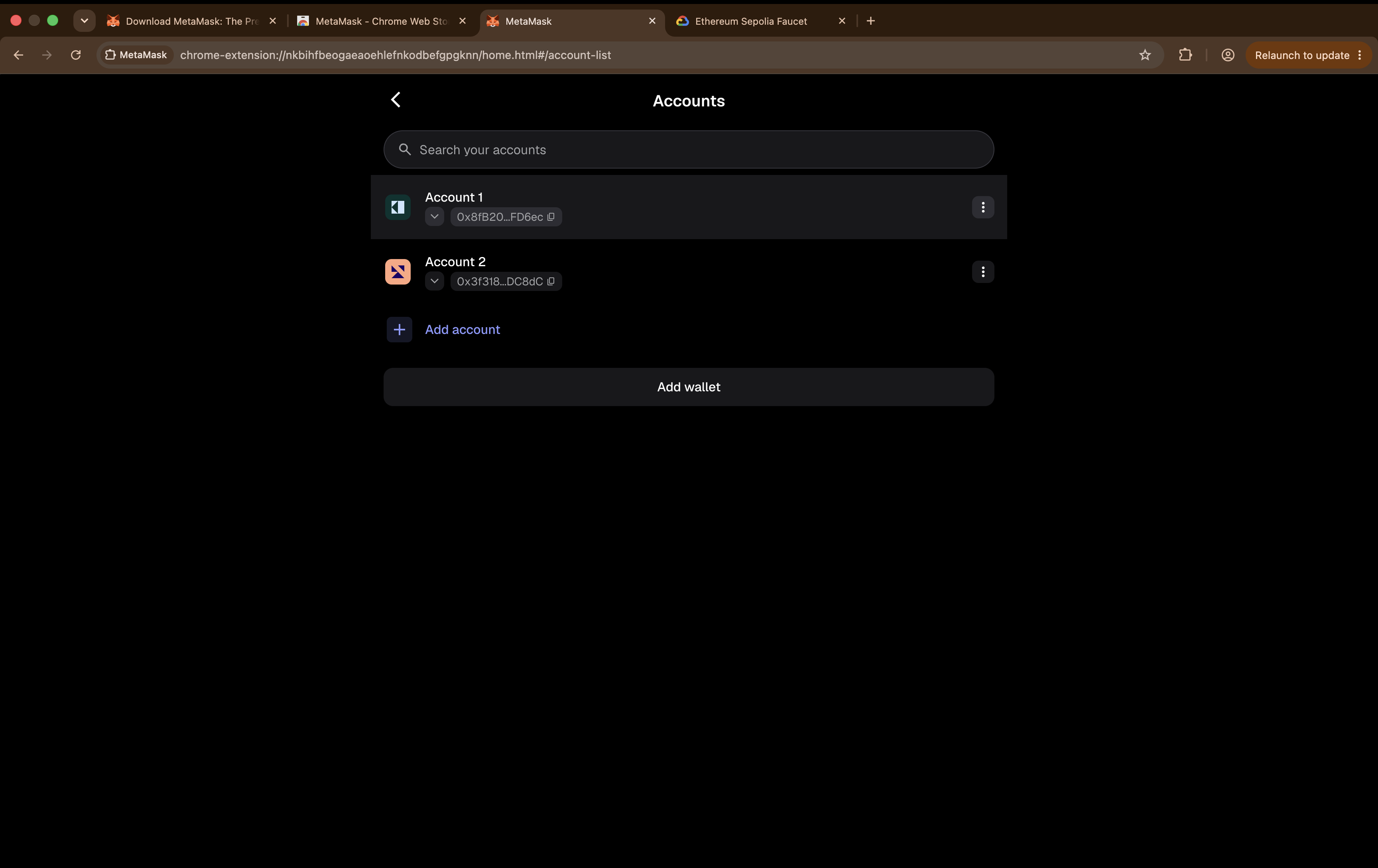
One wallet, two accounts. The second one is the recipient. 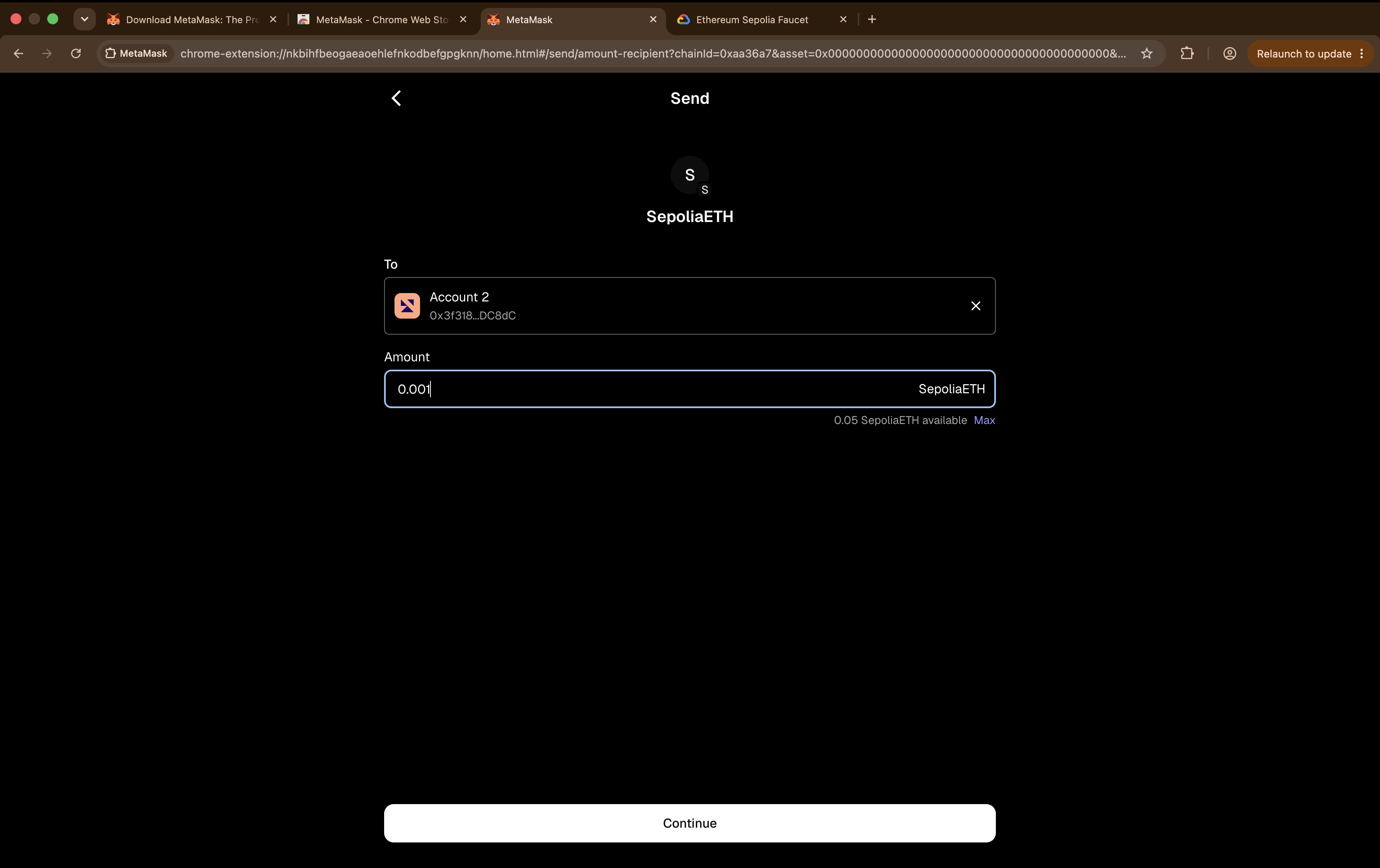
Sending between two accounts you control lets you see both sides of the transfer. On the confirmation screen, read every line before confirming:
Check Should say Network Sepolia To Your second account Amount 0.001 SepoliaETH Estimated fee A small amount of SepoliaETH 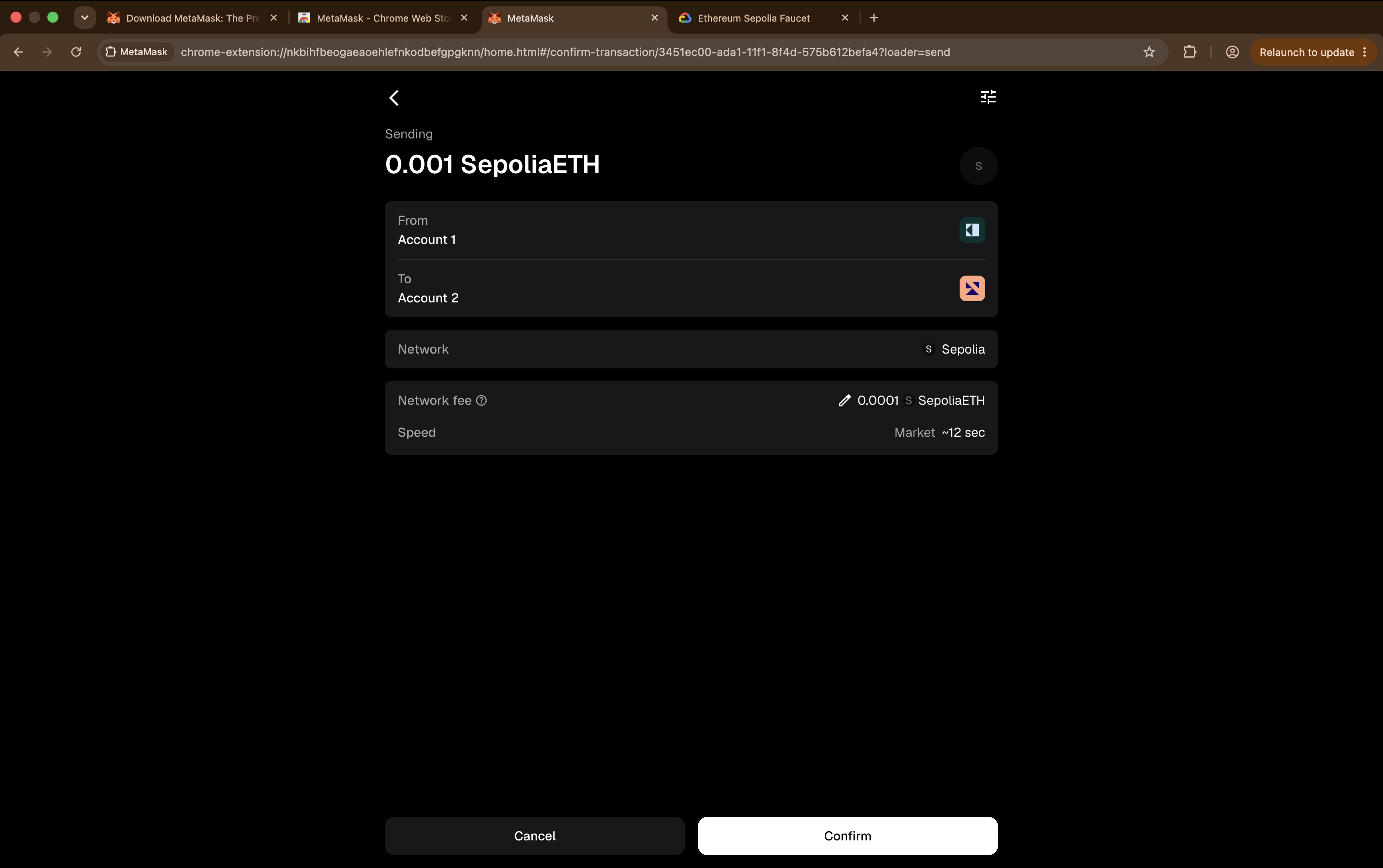
The four fields to read before you ever press Confirm. The habit this whole page exists to build
Before confirming anything, check the network, the recipient, the amount, and what you are being asked to authorise.
Practise it here, on testnet, where getting it wrong is free.
Choose Confirm. The status usually confirms within seconds on Sepolia, but it can take longer.
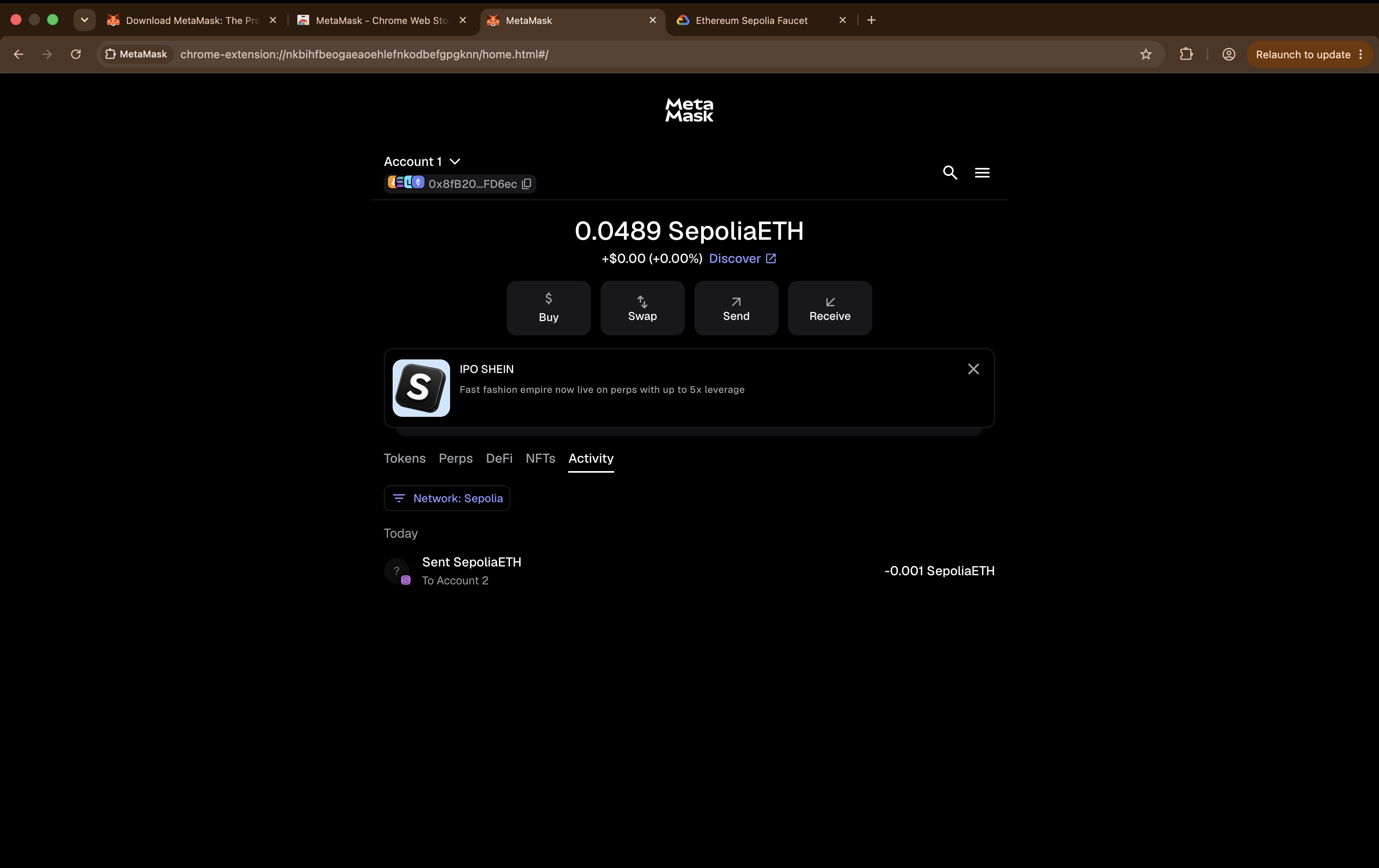
Copy the transaction hash — you need it for the Anchor Mission. Find the transaction on the explorer
Go to sepolia.etherscan.io and paste your transaction hash into the search box.
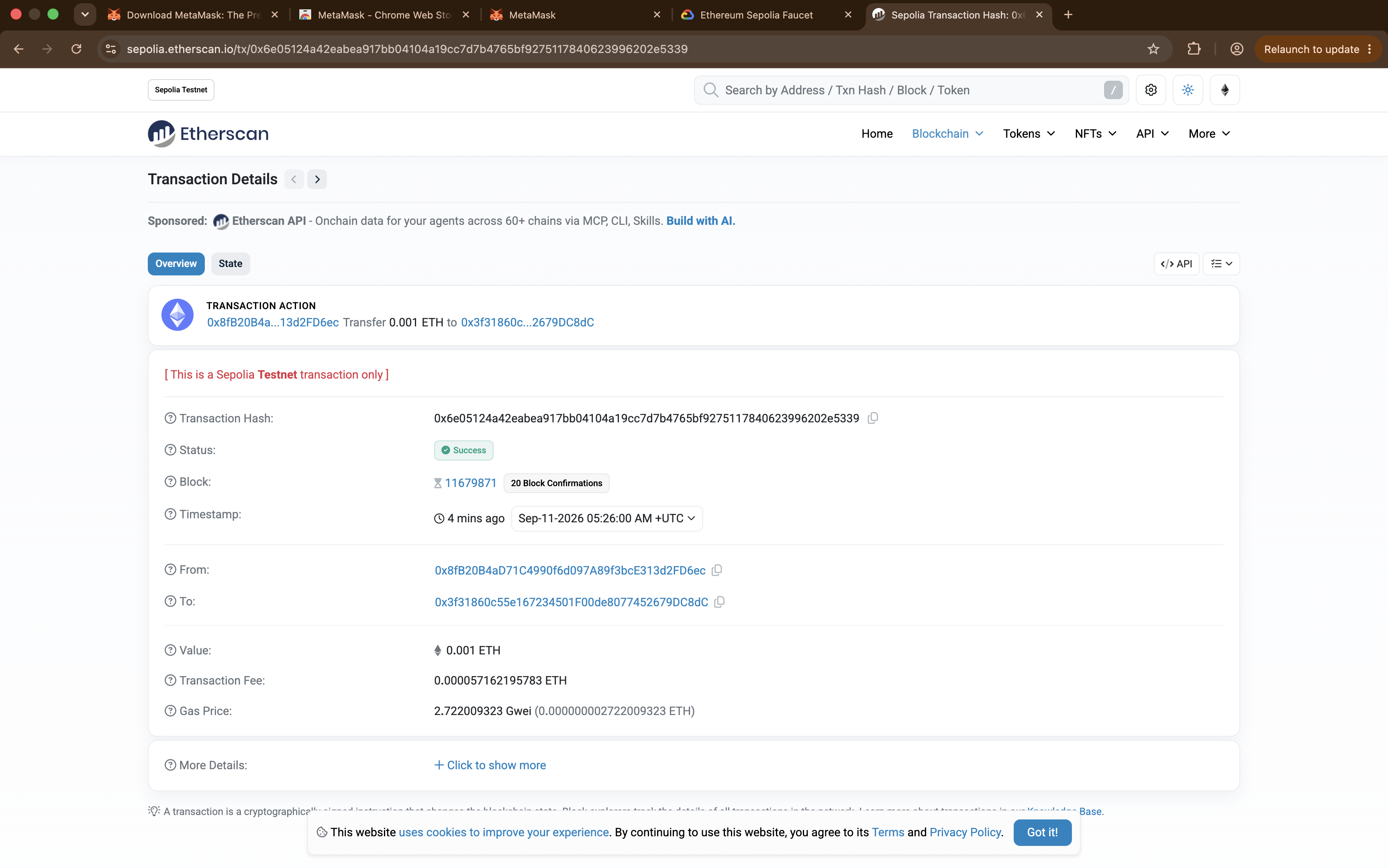
No account. No login. No permission needed. 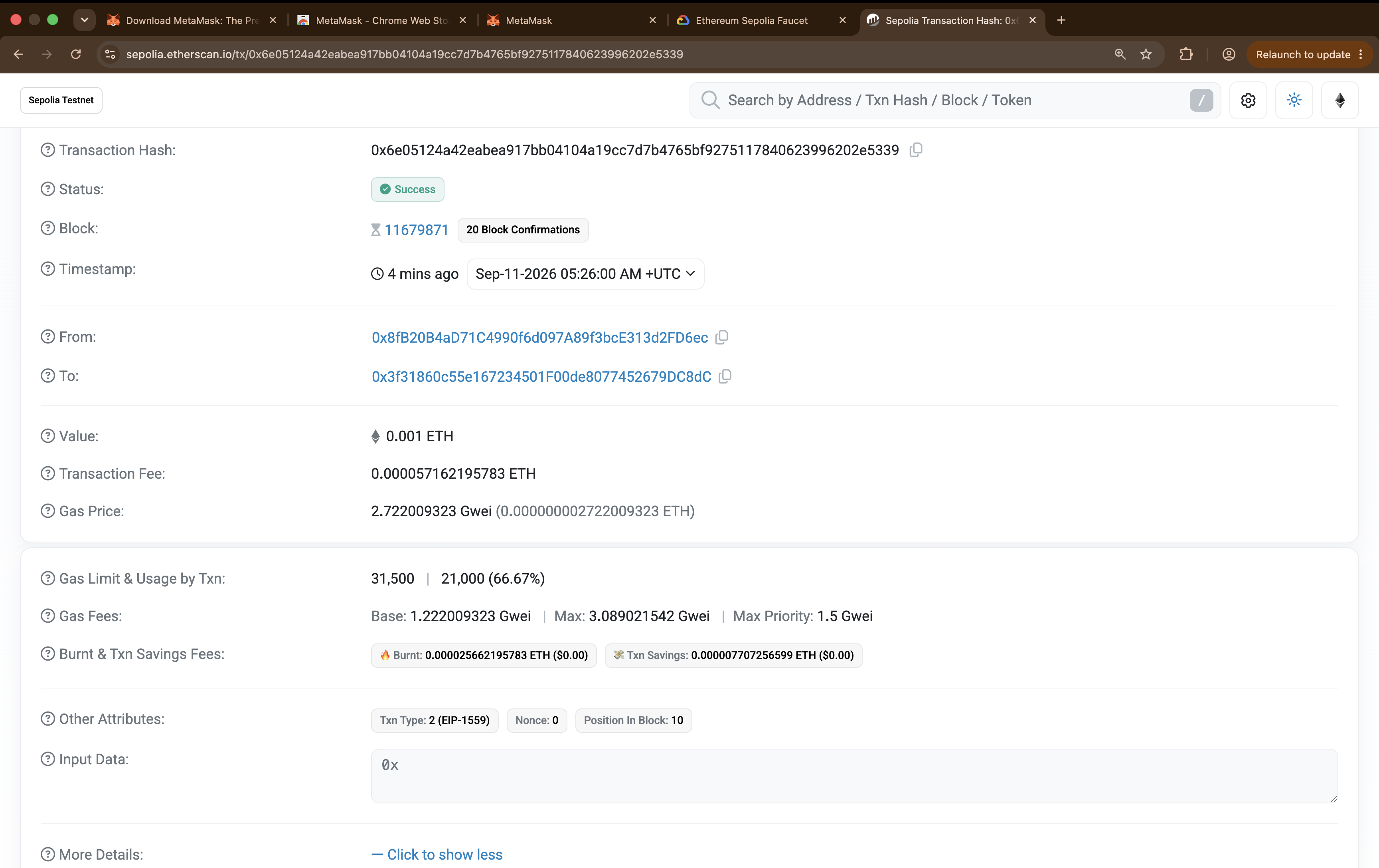
Every field here is something you now understand. The explorer shows the transaction's public record from the chain. No account is required.
One small exploration task
Click your own address on Etherscan and look at its full transaction history.
This is what "public ledger" means in practice. Anyone in the world can do the same with your address, without asking you.
Optional stretch — use a real DApp on testnet
Optional, not assessed, not part of the Anchor Mission
Once the basic transaction works, you can see what a wallet is actually for.
- Connect your Academy test wallet.
- Confirm the network is Sepolia before anything else.
- Explore the swap interface without committing to anything.
- If suitable test tokens are available, try a very small testnet swap.
- Open the resulting transaction on Etherscan.
Watch what your wallet asks you for. You will likely meet an approval before the swap itself — the exact pattern Part 6 warned about, now in front of you on a network where mistakes cost nothing.
The point:
A wallet is not only for sending tokens. It is how you interact with decentralised applications.
Reading the explorer
Every field is something you now understand.
| Field | What it tells you |
|---|---|
| Status | Success or failed. Failed transactions still cost gas |
| Block | Which block included it, and how many have followed |
| From / To | The addresses involved |
| Value | How much moved |
| Transaction Fee | What you actually paid |
| Gas Used | 21,000 for a plain transfer, under the current fee schedule |
| Nonce | Your account's counter |
You should be able to point at each field and say what it means. If any is unclear, that is the signal to reread Part 2.
Notice what just happened
You looked up a financial transaction on a public website, with no login, no permission, and no relationship with anyone. Anyone in the world can do the same with your hash.
That is what "public ledger" means in practice — and it is worth deciding how you feel about it, because it applies to everything you do on-chain.
Landscape
- Pending / dropped / replaced — a transaction can wait, be discarded, or be superseded by one with a higher fee. Until it is included, it has not changed the chain's state
- Speed up / cancel — resubmitting with a higher fee and the same nonce. This can replace a pending request, but cannot undo a confirmed transaction
- Nonce ordering — transactions from one address execute in strict nonce order, so a stuck low nonce blocks everything behind it until it is included or replaced
- Wei / gwei / ether — units. 1 ether = 10⁹ gwei = 10¹⁸ wei; recognising the units helps you read wallet and explorer fee fields
- Failed transactions still cost gas — the work was done even though the outcome reverted
Worked example
A completed transaction, field by field.
Status:              Success
Block:               11,679,871  (20 block confirmations)
From:                0x8fB2…FD6ec   ← your address
To:                  0x3f31…DC8dC   ← your second account
Value:               0.001 ETH
Transaction Fee:     0.000057162195783 ETH
Gas Price:           2.722009323 Gwei
Gas Limit & Usage:   31,500 | 21,000 (66.67%)
Nonce:               0
Input Data:          0x
Read it back in plain English:
Address
0x8fB2…FD6ecsent 0.001 test ETH to another account it controls. It was included in block 11,679,871, and 20 blocks have followed — so it now has many confirmations. It used exactly 21,000 gas, the traditional cost of a plain ETH transfer under the current fee schedule. Nonce 0 means this was the first transaction this address ever sent — receiving the faucet's transfer did not increment it, because only sending does.
Three details worth pausing on:
The limit is not the price. Gas Limit & Usage reads 31,500 | 21,000 — the wallet reserved headroom, the transaction used 21,000, and you are not charged for the unused portion.
The fee is gas used × gas price. 21,000 × 2.722 Gwei ≈ 0.000057 ETH. Both numbers are on the page, so you can check the arithmetic yourself.
Input Data is 0x — empty. That is what makes this a plain transfer. When you interact with a contract in Week 3, this field carries the instruction you sent, and that difference is the whole distinction between moving value and running code.
Now connect it to the theory:
| What you see | Which part explains it |
|---|---|
| You signed it with your private key, so the network accepted it as authorised | Part 6 |
| Every node independently verified the signature, balance and nonce | Part 2 |
| Consensus put it in one agreed position in one agreed history | Part 3 |
| The ETH is a native asset, which is why it could pay its own fee | Part 5 |
That is Week 1 in a single transaction
The Anchor Mission asks you to explain exactly this, in your own words, about your own hash.
Further exploration — optional, not assessed
- ethereum.org — Gas and fees — how fees are actually calculated
- Look up a failed transaction on Etherscan and work out why. Understanding failure teaches more than success
- Find a large, busy address and scroll its history. A useful sense of what public really means
Sources and attribution
- ethereum.org — Networks — Reuse (CC BY 4.0), adapted
- ethereum.org — Gas and fees — Reuse (CC BY 4.0), adapted
- ethereum.org — Block explorers — Reuse (CC BY 4.0), adapted
- MetaMask — Support — Link, referenced only
- Google Cloud Web3 — Ethereum Sepolia faucet — Link, referenced only
- Coinbase Developer Platform Faucet — Link, referenced only
- Uniswap — Link, referenced only